How to use the site
Content updated in 2025–2026.
Important Advice from the Author
If possible, explore the site’s materials on a desktop computer, laptop, or all-in-one PC. This will make it much easier to view the site structure, navigate between sections, and fully absorb the content. It is also possible to use a smartphone, but due to the smaller screen size, some elements and navigation may be less clear. Information on prostate issues is presented here in a large number of articles, and each article contains only practical benefit — without unnecessary pages or intrusive advertising.
How to Quickly Understand the Structure of This Website
Dear Reader, your search query has brought you to a website entitled “Without Benign Prostatic Hyperplasia.” Unlike hundreds or even thousands of other websites, it is neither promotional nor review-oriented. Instead, it offers a comprehensive health-improvement methodology for this diagnosis that does not involve the use of medications. The site clearly explains and substantiates the principles of a healthy lifestyle, adherence to which contributes to the complete disappearance of symptoms of prostate diseases such as benign prostatic hyperplasia and chronic prostatitis.
There are no universal standards in website design, and in today’s reality information must be absorbed with minimal time loss and understood correctly. This resource has been optimized many times to ensure that it is as simple, clear, and accessible as possible from your very first visit. The website contains nearly fifty articles, as well as a treatment methodology presented in each language section. All publications are devoted to one central topic: understanding prostate-related problems in men and their treatment. This article was written by the author with the specific aim of helping an interested reader, while saving time, to understand the structure of the website and to read and assimilate exactly the materials he considers necessary.
How to Use:
Navigating from the Home Page and Switching Between Languages
Here, everything is straightforward. Navigation buttons are represented by national flags. When using a desktop computer (laptop, all-in-one PC, or tablet), simply place the cursor (the on-screen arrow) over the desired flag and click it with the left mouse button to enter the corresponding language section. In the mobile version of the site, the same transition requires only a light tap of your finger on the flag button. For example, tapping the German flag opens the German-language section; tapping the French flag opens the French-language section, and so on…
Smartphone Version of the Website
On every page of the website, in the upper right corner, you will see a red button consisting of three horizontal bars.
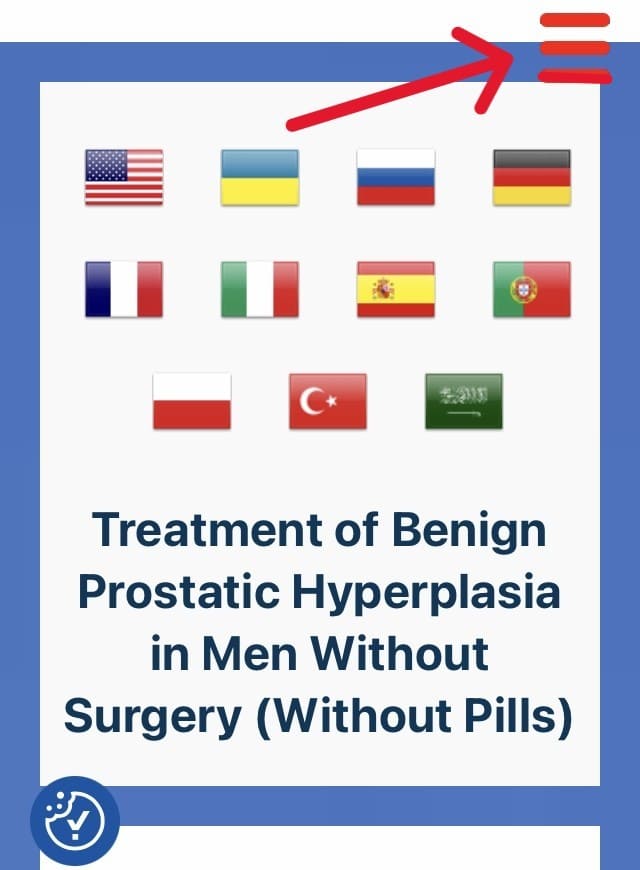
By gently tapping this button with your finger, you will open the menu. There, by tapping any heading, you can open the main articles and begin reading them, or, by tapping the red arrow, navigate to a large number of additional article headings that are equally important.
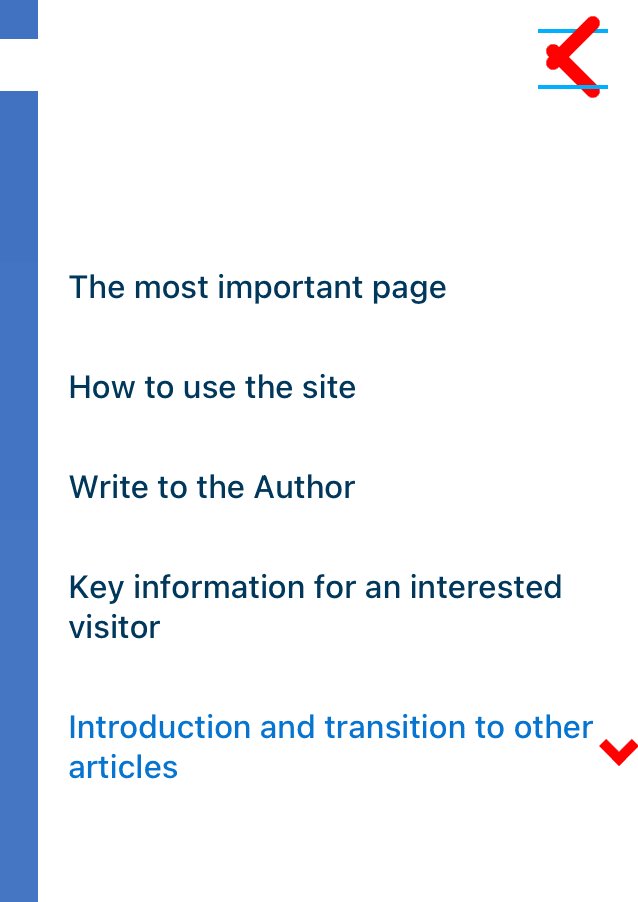
Version of the Website for Desktop Computers (All-in-One PC, Tablet, Laptop)
In this version, everything should be clear at first glance. On the left side of every page of the website you will find the main menu, which contains a list of article headings. By clicking on any heading, you will be taken directly to the text of the corresponding article.
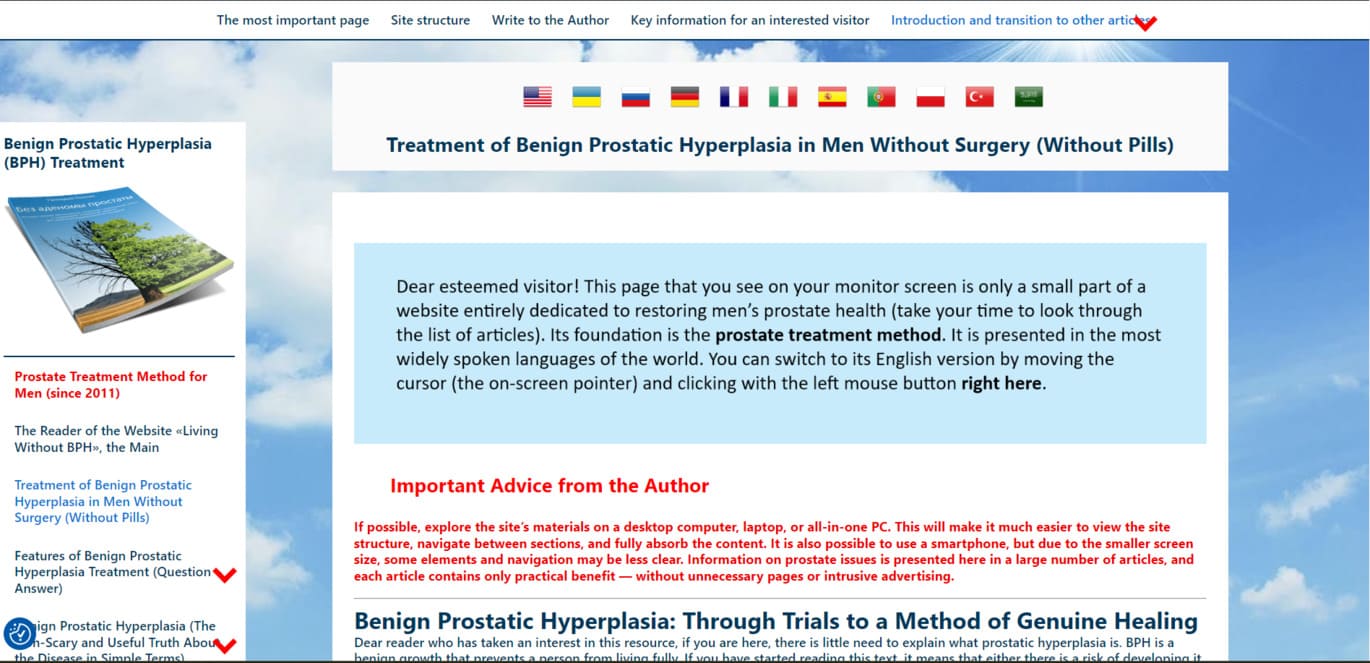
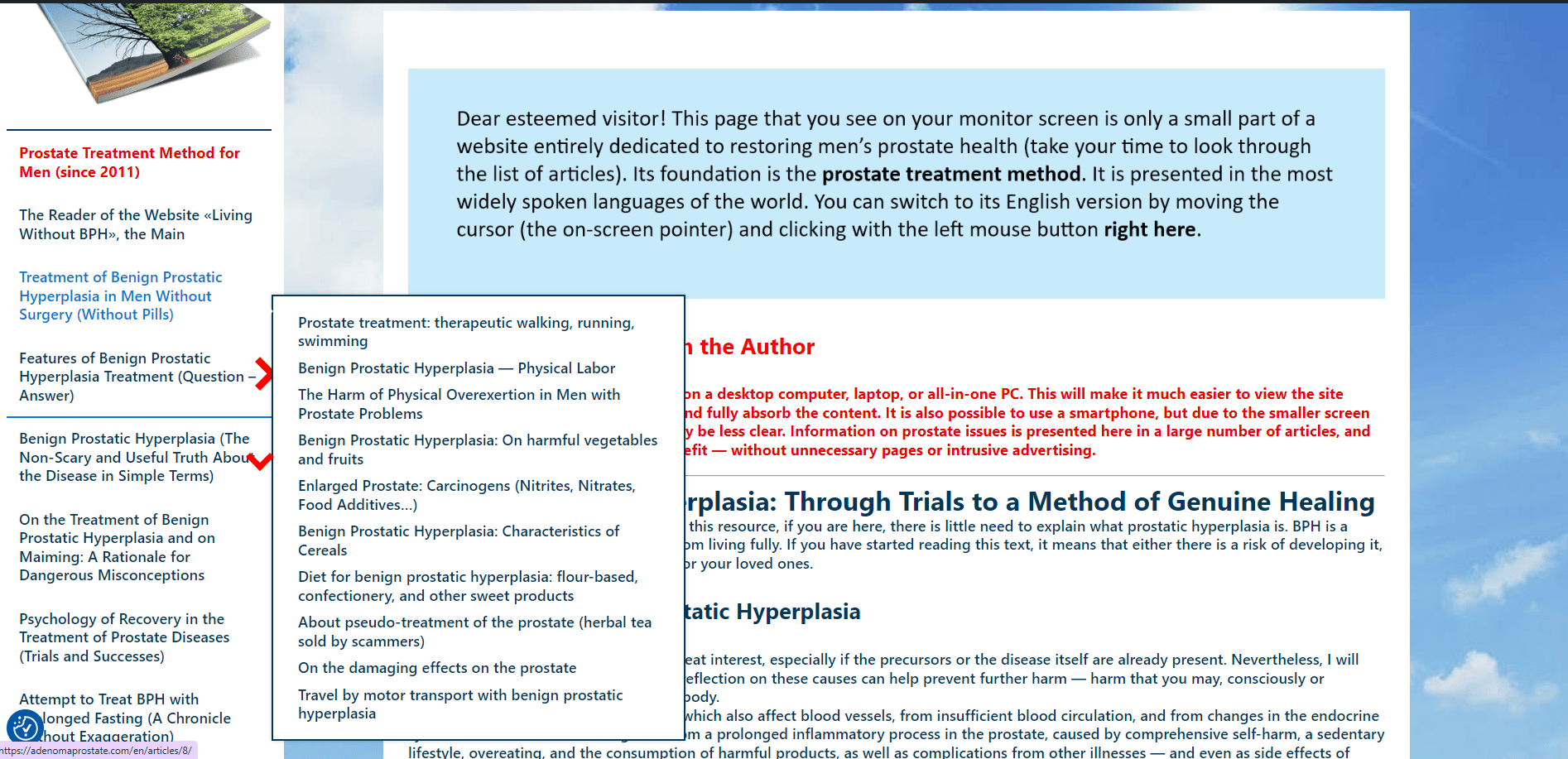
By hovering the cursor over any of the clearly visible red arrows (which animate when hovered over), additional article headings will appear in pop-up windows. The method of navigating to these articles is identical. Please take a look at the screenshot below.
Contact
- My email address: [email protected] (this is the most reliable way to contact me).
- Mobile phone: +38 093 024 77 88 (Ukraine, Lifecell network).
- Telegram username: @gplotyan
- Telegram, WhatsApp, Viber: the phone number is the same — +38 093 024 77 88
- Via the website. On every page, within the main menu (when using a desktop computer, laptop, or tablet), there is a heading labeled “Write to the Author.” Click it — the process is intuitive and easy to understand. On a smartphone, this same heading is available in the article menu, which opens by pressing the prominent red button with three short horizontal bars in the upper right corner.
With respect for the reader, Gennadiy Plotyan, author of the website.
Article with a link to reviews of the methodology here: العربية, Italiano, Français, English, Język Polski, Deutsch, Türkçe, Español, Português, Українській, Русском.
The treatment methodology is here: Русский, Українська, English, Türkçe, العربية, Deutsch, Français, Italiano, Español, Português, Język Polski.
Introductory article is here: Українській, English, العربية, Deutsch, Français, Italiano, Español, Português, Język Polski, Türkçe, Русский.